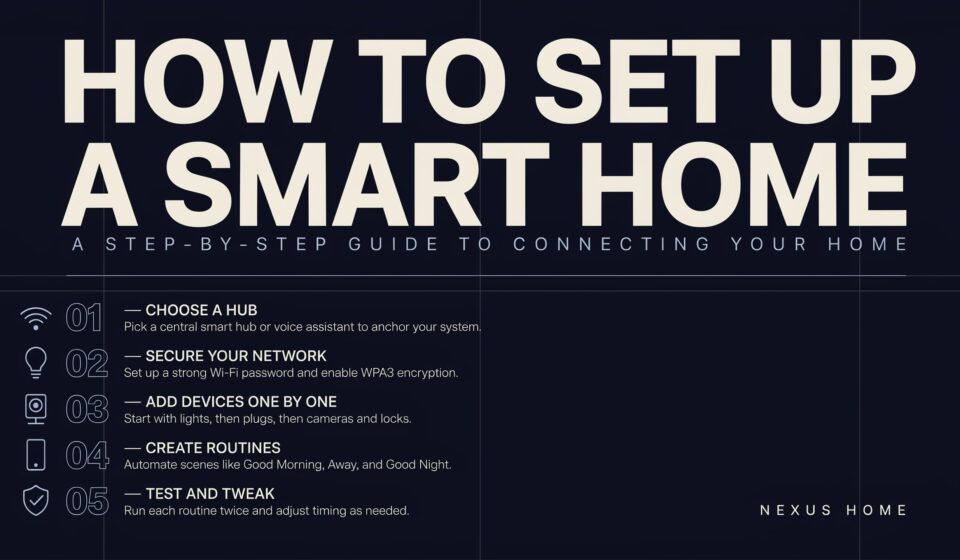

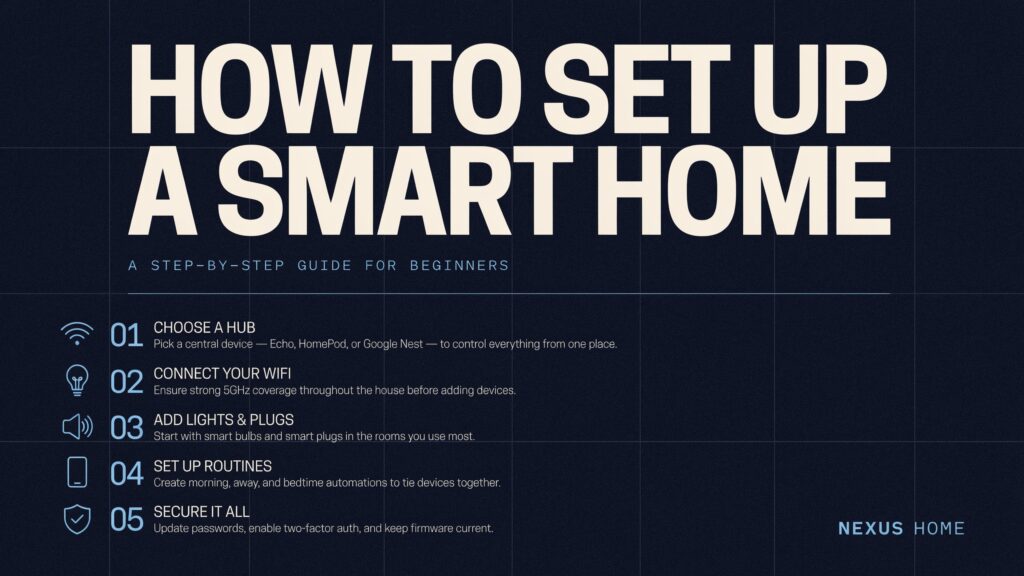
Turning an ordinary house into a connected, automated space sounds complicated, but understanding how to set up a smart home is genuinely more straightforward than most people expect. With advancements in technology, smart devices have become more accessible and user-friendly, and whether it’s installing smart light bulbs or setting up a smart thermostat, the process requires minimal technical know-how.
This guide walks through everything from choosing the right ecosystem to picking your first devices, building useful automations, and answers to the most common questions people have before diving in.
Why Building a Smart Home Is Worth the Effort
Turning your home into a connected space can have loads of benefits for most households: making the day run more smoothly, staying connected to one another, helping save energy, and keeping your home safe and secure. Understanding how to set up a smart home properly from the start makes this transition considerably smoother than randomly purchasing gadgets without a clear plan.
Smart home technology can let you control electronic devices around your home by speaking, touching a screen, or using an alternative access method, making daily routines genuinely easier regardless of your technical comfort level or physical circumstances.
Step 1: Start With a Reliable Internet Connection
Before purchasing a single device, the foundation of how to set up a smart home successfully begins with your network. A reliable and robust internet connection is the foundation of any smart home, since devices are constantly communicating with one another and updating via the internet, so having a fast and secure network is essential.
A few practical network considerations:
- Invest in a high-quality router that can handle multiple connections without lagging.
- Many smart home devices, such as cameras and streaming systems, consume significant bandwidth, so choosing a router with high-speed capabilities prevents connectivity issues.
- Consider extending your network’s reach with Wi-Fi extenders if you have a larger property.
- Consistent, high-quality internet access is especially crucial in areas where you want to install security cameras or motion detectors. how to organize smart home wiring
Step 2: Choose Your Smart Home Ecosystem
One of the most important early decisions in how to set up a smart home involves picking a primary platform, since all your devices will need to communicate using the same underlying system.
| Platform | Best Suited For |
|---|---|
| Amazon Alexa | Widest third-party device compatibility |
| Google Home | Smooth integration with Google services |
| Apple HomeKit | iOS users wanting seamless device integration |
| Home Assistant | Tech-savvy users wanting maximum customization |
Setting up a hub as the brain of your smart home enables you to control lights, thermostats, cameras, and more from a single interface, which is convenient and efficient. Not all ecosystems are equally advanced when it comes to newer standards like Matter, since they only support some product categories to varying degrees, so it’s worth researching compatibility before committing to a specific platform.
Step 3: Start Small With Your First Devices
A common mistake beginners make is trying to automate an entire house at once. Understanding how to set up a smart home effectively means starting with just one or two devices before expanding further. Another benefit of going the consumer-products route is that you can start with just one or two devices and then add more as you feel more comfortable.
Changing your regular bulbs for smart lights is one of the easiest ways to start building your smart home for beginners, since you can control your lights with your phone, voice, or automation settings.
To set up smart lighting specifically:
- Replace standard bulbs with compatible smart bulbs in your primary living spaces.
- Set up automation, like dimming the lights at night or creating a “goodnight” routine.
- Use voice assistants like Alexa or Google Assistant to control them hands-free.
Step 4: Add Smart Plugs and Outlets
Beyond dedicated smart bulbs, smart plugs offer one of the most affordable entry points into how to set up a smart home for existing appliances you already own. Smart sockets let you control traditional appliances through an app or voice commands, covering lamps, coffee makers, fans, and space heaters, and you can turn them on or off remotely or set schedules.
These devices are particularly useful because they don’t require replacing existing equipment, simply plugging your current appliances into a smart intermediary that adds remote control and scheduling capability.
Step 5: Consider Security Devices
Home security represents one of the most practical and immediately valuable applications when learning how to set up a smart home. Smart cameras let you monitor everything from your phone, checking in anytime, receiving motion alerts, and communicating using two-way audio.
Setting up smart cameras generally follows a simple sequence:
- Place the camera near entry points outdoors and in key indoor areas like hallways or living rooms.
- Power the camera and link it to your smart hub.
- Set up motion detection, night vision, and alerts to notify you of any activity.
- Check live feeds and recordings anytime from your phone, wherever you are.
Step 6: Build Automation Scenes and Routines
Once you’ve established a few core devices, understanding how to set up a smart home for genuine convenience means moving beyond individual device control toward coordinated automation. Automation scenes help your smart home run independently by allowing multiple devices to work together, instead of manually adjusting everything.
A few popular automation ideas worth setting up:
- Home Mode: When you get home, your lights turn on, the thermostat adjusts, and doors unlock automatically.
- Sleep Mode: At night, your lights dim, doors lock, and security cameras turn on to keep your home safe.
- Away Mode: When you leave, your lights turn off, appliances shut down, and the security system arms itself.
- Wake-Up Mode: In the morning, your lights slowly brighten, the thermostat warms up, and your smart speaker plays music or the news.
Smart lights, for example, can be programmed to gradually brighten in the morning to simulate a sunrise, helping you wake up more naturally, illustrating how personalization becomes possible once basic automation is in place.
Step 7: Add Voice Control for Hands-Free Convenience
Voice assistants significantly simplify daily interaction once you understand how to set up a smart home with multiple connected devices. Voice control with smart speakers like Amazon Echo or Google Home lets you adjust lights, set the thermostat, play music, create shopping lists, and even control compatible smart appliances, all with just your voice.
Voice assistants are also capable of learning your preferences over time, so they can offer personalized suggestions and reminders, helping you stay organized and connected throughout your day.
Choosing Between DIY and Professional Installation
Deciding how to set up a smart home also means choosing between doing it yourself and hiring professional help. These devices should be “plug and play,” meaning that if you are comfortable pairing devices with Bluetooth, you should be able to follow instructions and connect the devices yourself, and if you can’t figure something out, you can try watching instructional videos online or ask a tech-savvy family member for help.
For more complex setups, Environmental Control Units, considered the gold standard, can provide the most sophisticated functionality, though they’re also the most expensive option, designed, engineered, manufactured, and installed by trained professionals. Most beginners, however, find that some brands offer easy DIY setup guides, meaning professional installation often isn’t strictly necessary.
Understanding the Matter Standard
A newer development worth understanding when learning how to set up a smart home involves the Matter standard. The Matter smart home standard allows devices from different manufacturers to communicate with each other, with a central control unit taking over control and automating processes so lights, heating, shutters, and other things react autonomously.
Most devices are easy to set up with Fast Pair for Matter devices, so creating a smart home is simpler than you might expect, reducing much of the historical frustration around incompatible device ecosystems.
Security and Privacy Best Practices
As you continue expanding your setup, protecting your network becomes increasingly important. Protect your network by using strong passwords and two-factor authentication on all devices, since many devices come with built-in security features like encryption that help protect data transmission. Regularly updating your devices also helps protect against vulnerabilities that could otherwise compromise your connected home.
Energy Monitoring and Long-Term Savings
Beyond convenience, understanding how to set up a smart home also opens the door to genuine energy savings over time. Energy monitoring devices let you track your home’s energy usage in real-time, identify energy-hungry appliances, and make informed decisions to reduce your carbon footprint and save on utility bills.
Frequently Asked Questions
What’s the easiest device to start with?
Smart lighting is generally considered the easiest and most affordable starting point, offering immediate, visible convenience with minimal technical setup required.
Do I need to choose one ecosystem, or can I mix brands?
While some flexibility exists, especially with the Matter standard, sticking to devices certified for your chosen ecosystem generally prevents compatibility issues and simplifies troubleshooting.
Is professional installation necessary?
Not usually. Most consumer smart home devices are designed for straightforward DIY setup, though professional installation remains an option for more complex or fully customized systems.
How important is my internet connection for a smart home?
Very important. A strong, reliable router capable of handling multiple simultaneous connections is essential, since smart devices constantly communicate over your network.
Can I build a smart home gradually rather than all at once?
Yes. Starting with one or two devices and expanding over time is generally recommended, both for budget reasons and to build comfort with the technology gradually.
Are smart home devices secure from hacking?
Security depends heavily on using trusted brands, strong passwords, two-factor authentication, and keeping software regularly updated to protect against vulnerabilities.
Final Thoughts
Understanding how to set up a smart home ultimately comes down to building a solid foundation first, a reliable network and a chosen ecosystem, then expanding gradually with devices that genuinely improve your daily routine. Starting with lighting or a few smart plugs, then layering in security devices and automation scenes, creates a system that grows naturally alongside your comfort and needs.
With the right planning and a willingness to start small, transforming an ordinary home into a genuinely connected, automated space becomes an achievable project rather than an overwhelming one, delivering real convenience, security, and energy savings along the way.